These directions should be used to help reset the AV (Crestron) hardware in the event of any type of misbehaving (screen powering off, no mirroring when the connection machine is functioning properly, etc.). This applies to the following rooms:
Biology 200, 228, 300, 355, 400, 428
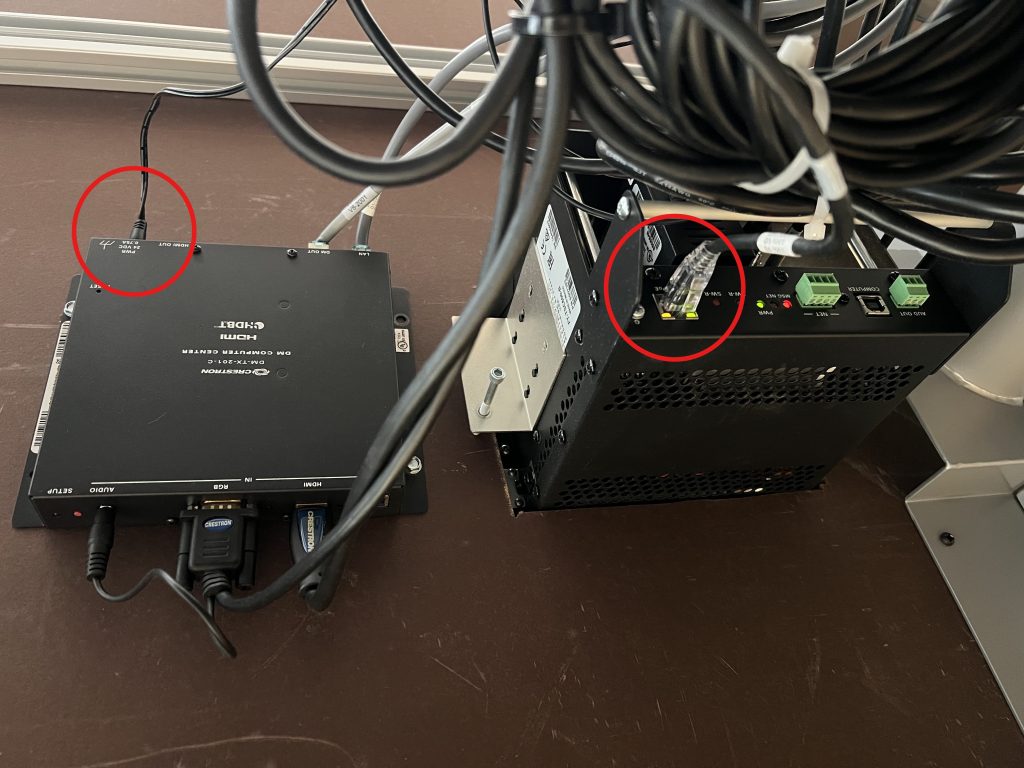
Beneath the Conference Room Table Unplug the 2 cables indicated in this photo. All rooms should be roughly the same beneath the table. This is an example from Biology 300.
Behind the TV
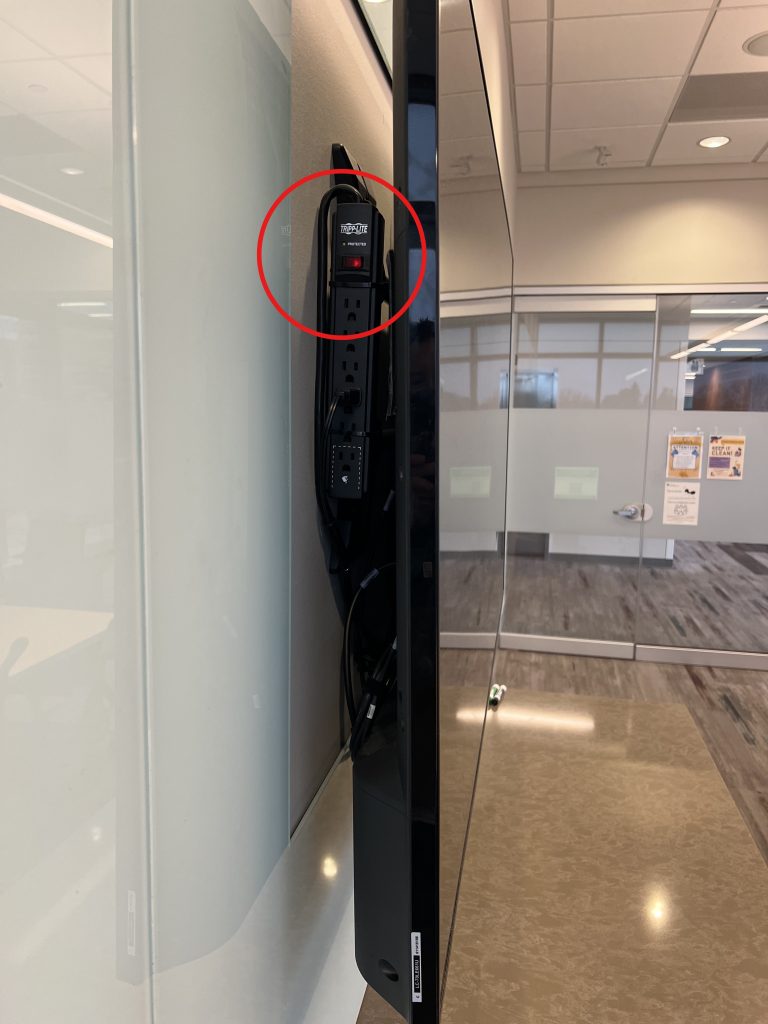
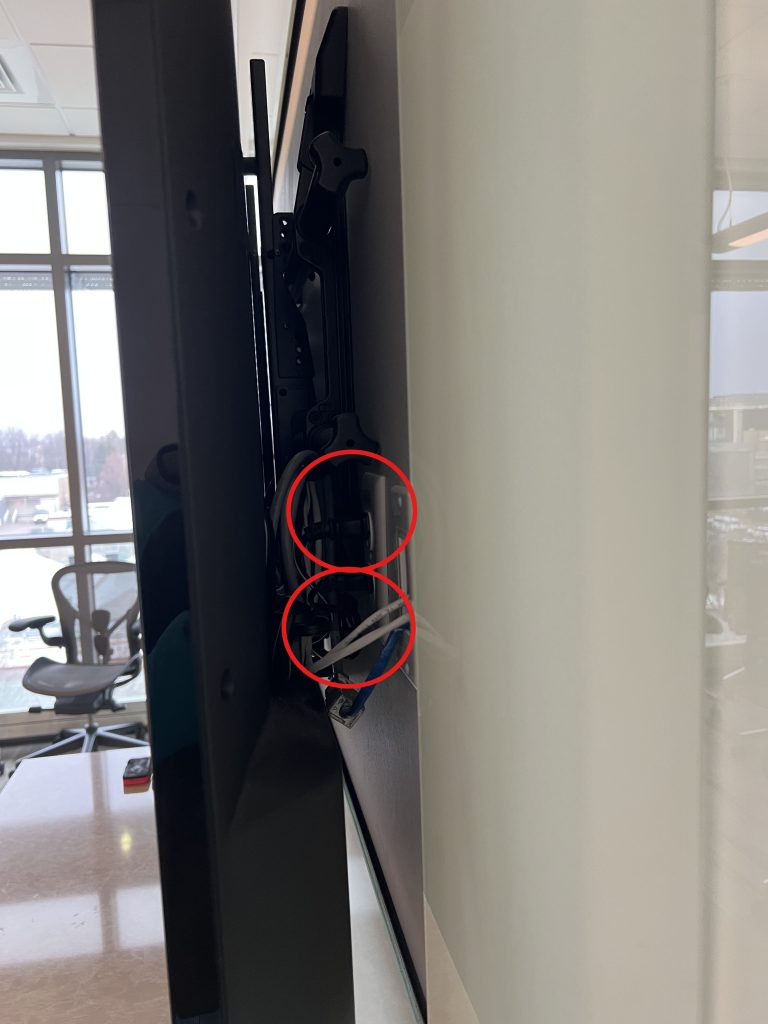
There are power plugs located behind the TV that should be power cycled as well. These are located in slightly different locations per room (some require small hands). If there is a powerstrip in use, toggling that off and then back on should do the trick. Otherwise, you might have to unplug directly from the outlet as shown in the second photograph. Here are a few examples from Biology 300 and 400).