Skip to Main Content







Category Archive: General CNSIT
The following directions will instruct you on how to connect a Windows 10 computer to a network printer. A network printer is a printer that connects directly to the Internet via an Ethernet cable; it does not connect directly to another computer. In order to set up and print to a network printer, your computer […]
By Ross Madden
October 28, 2015 3:29 pm MT
Posted in Apple, CNS Computer Lab, Computer Labs, General CNSIT, Printing, Tips and Tricks, Windows
October 28, 2015 3:29 pm MT
Posted in Apple, CNS Computer Lab, Computer Labs, General CNSIT, Printing, Tips and Tricks, Windows
PDF files sometimes give us a lot of trouble when we try to print them. The causes are usually unknown, but may stem from inefficient PDF creation on the publisher side (not everyone uses Adobe Acrobat Pro to create their PDFs, unfortunately). Here are some tips to help you get that pesky PDF to print […]
This content is marked deprecated
By Ross Madden
August 19, 2014 9:20 am MT
Posted in General CNSIT, Internet & Networking, Knowledge Base
By Ross Madden
August 19, 2014 9:20 am MT
Posted in General CNSIT, Internet & Networking, Knowledge Base
Message below is from ACNS: Last week, two new wireless networks were sent across campus. csu-eid: This is to replace csu-net and csu-net5. Since most all wireless problems were due to misconfiguration or confusion over usernames, we developed csu-eid to address both issues – you use your eID as the username and we provide a […]
This content is marked deprecated
By Ross Madden
February 19, 2014 9:20 am MT
Posted in General CNSIT, Internet & Networking, Knowledge Base
By Ross Madden
February 19, 2014 9:20 am MT
Posted in General CNSIT, Internet & Networking, Knowledge Base
Recently, Windows computers began to automatically install the new version of Internet Explorer. This new version, 11, has been causing all kinds of problems across campus. Specifically users of RamCT, IS Oracle HR, and Kuali. Our solution for this is to simply uninstall, or roll back Internet Explorer to the previously installed version, 10. These […]
This content is marked deprecated
By Ross Madden
February 19, 2014 9:07 am MT
Posted in General CNSIT, Internet & Networking, Knowledge Base
By Ross Madden
February 19, 2014 9:07 am MT
Posted in General CNSIT, Internet & Networking, Knowledge Base
We have been seeing more and more reports of Java not working properly in web browsers. This article should allow a user to get things back up and running. First, here is a complete article describing what the settings are and what they do, and goes into how you can add sites to a trusted […]
The following directions will instruct you on how to connect a Windows 8 computer to a network printer. A network printer is a printer that connects directly to the Internet via an Ethernet cable; it does not connect directly to another computer. In order to set up and print to a network printer, your computer […]
As you may be aware, support for Windows XP (and Office 2003) will end on April 8, 2014 (more info here). This carries significant risks to CSU due to the potential of having a non-supported operating system in the environment and additional risks of which your Microsoft team feels compelled to make you aware, including: […]
Teaching in Chemistry A101 or Chemistry A103? These rooms are now outfitted with Echo 360 Appliances for Lecture audio and video capture! Echo 260 is a lecture capture technology that provides the ability to record audio, computer screen content and optionally, video of the instructor and make it available to students via the web 24 […]
This content is marked deprecated
By Ross Madden
August 26, 2013 12:50 pm MT
Posted in General CNSIT, Internet & Networking
By Ross Madden
August 26, 2013 12:50 pm MT
Posted in General CNSIT, Internet & Networking
WIFI and mobile device users may have started noticing a new SSID being broadcast within the CNSIT South buildings lately. That is, the csu-net5 network. ACNS sent us out a good explanation of what this is, and perhaps is something you should try out! FROM ACNS All areas of campus should now have at least 3 […]
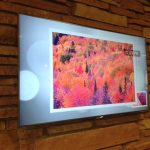
With the Chemistry Lobby remodel project we now have a number of Digital Signage setups available for content delivery. The hardware used for these setups currently includes, 5 55″ Samsung LED displays, each with its own Apple Mac Mini to provide the content. We have developed a content submission and delivery system that will more […]
